
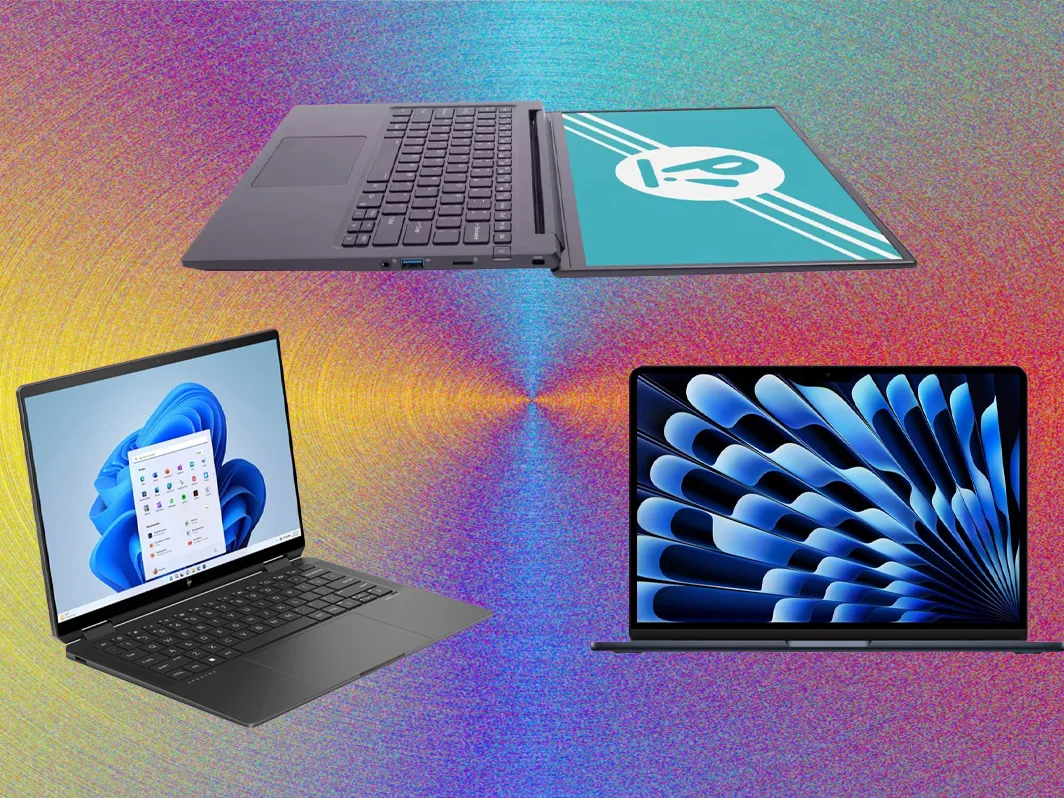

Game development is one of the most demanding creative and technical tasks you can do on a laptop. It blends design, coding, 3D modeling, animation, and sometimes music or audio editing—all of which can place a serious load on a computer’s CPU, GPU, memory, and storage. Choosing the right laptop for game development means understanding both your needs and how different hardware components affect your workflow.
Whether you’re a college student learning Unity or Unreal Engine, a solo indie developer, or a professional building high-end AAA experiences, this guide will help you pick the right laptop for game development in 2025.
1. Understand Your Workflow: What Kind of Games Are You Making?
Table of Contents
Before picking hardware, assess what kind of development work you’ll do. Your needs may vary drastically depending on the scope of your games and tools.
Casual / 2D Indie Games
If you’re working with engines like Godot, GameMaker, or Unity 2D, your laptop doesn’t need a powerful GPU. You’ll be fine with a mid-range CPU, integrated graphics, and 8–16GB RAM.
3D Games / Unity & Unreal Engine
For developers working with Unity 3D or Unreal Engine, especially with high-poly assets, PBR materials, and lighting systems, you’ll need a strong CPU, a capable dedicated GPU, and 16–32GB of RAM.
Professional / Studio-Level Development
If you’re involved in cinematic visuals, VR/AR, or AAA-level development, you’ll need desktop-class performance, even on a laptop. Look for RTX 4070 or higher GPUs, advanced cooling, 32GB+ RAM, and high-speed SSDs.
2. Prioritize the Right Hardware Components
A. CPU (Processor) – Your Development Engine
The CPU is arguably the most important component for compiling code, running simulations, and baking lighting.
Recommended CPUs (2025):
-
Intel Core i7 / i9 (13th or 14th Gen HX series)
-
AMD Ryzen 7 / 9 (7045 or 8045HS/HX series)
-
Apple M3 Pro / M3 Max (for Mac users)
Tips:
-
Higher clock speeds improve compile and build times.
-
More cores help with multitasking (e.g., running Unity + Photoshop + GitHub).
-
Avoid U-series chips if you’re serious about development—they’re more power efficient but underpowered.
B. GPU (Graphics Card) – For 3D Rendering, Simulations & Testing
A strong GPU is essential for rendering game environments, especially in 3D engines. It also enables you to test your game in real time.
Recommended GPUs (2025):
-
NVIDIA RTX 4060 / 4070 / 4080 (Laptop versions)
-
AMD Radeon RX 7600M+ or higher
-
Apple M3 Pro/Max (has powerful integrated GPU)
Consider:
-
For Unity and Unreal, aim for RTX 4060 or better.
-
For 2D games, the integrated Radeon 780M or Intel Arc iGPU may suffice.
-
GPUs also speed up lightmap baking, shader compiling, and video exports.
C. RAM (Memory) – Handles Multitasking & Large Projects
Modern game engines are memory-hungry. Multiple assets, scripts, editor tabs, and other apps can easily consume your RAM.
Minimum:
-
16GB DDR5 (absolute minimum for 3D game dev)
Recommended:
-
32GB DDR5, especially for Unreal Engine, Blender, and multitasking
Tip: Avoid soldered RAM if you want future upgrade flexibility.
D. Storage (SSD) – Load Projects & Assets Fast
Game assets are large, especially textures, models, and audio files. Slow storage can drag down your entire workflow.
Recommended:
-
At least 1TB NVMe SSD
-
Consider dual-drive options (e.g., 512GB system + 1TB secondary)
Bonus: NVMe SSDs also speed up boot times, Unity/Unreal launch times, and lightmap bakes.
3. Display Matters More Than You Think
Your screen is where you’ll spend hundreds of hours working. A bad display makes color grading, UI layout, or level design harder.
Recommended Specs:
-
15.6″ to 17″ screen size – more workspace
-
IPS or OLED – better color accuracy
-
sRGB 100% coverage – important for artists
-
Resolution:
-
1080p is standard
-
1440p or 4K for artists or level designers
-
Bonus: High refresh rate (120Hz+) is helpful if you plan to playtest fast-paced games.
4. Portability vs. Power: Pick the Right Form Factor
Not all game developers need a mobile workstation. Ask yourself:
-
Will you travel often or work on campus? → Look for thin-and-light (under 4.5 lbs).
-
Do you need power above all? → Go for performance-first laptops with beefy GPUs and cooling.
-
Are you doing 3D modeling on the go? → Get a midweight balance between portability and GPU power.
Laptops to Consider (2025):
| Use Case | Example Laptop |
|---|---|
| Indie/2D Development | HP Pavilion Aero, ASUS Zenbook, MacBook Air M3 |
| 3D & Unity Dev | ASUS ROG Zephyrus G14, Lenovo Legion Slim 5 |
| Unreal/High-End | Razer Blade 16, ASUS ROG Strix Scar, MacBook Pro M3 Max |
5. Thermals and Build Quality Matter Long-Term
Game development tasks (like baking lightmaps or compiling shaders) put sustained stress on your laptop. If your laptop overheats or thermal throttles, you’ll experience lag and slowdown during crucial builds.
Look For:
-
Dual-fan cooling systems
-
Top/bottom ventilation
-
Aluminum chassis or reinforced builds
-
Efficient thermal paste & heat pipes (often reviewed on YouTube/Reddit)
6. Battery Life: Useful, But Secondary
While game development is mostly plug-in work, if you’re a student or work in coffee shops, battery life still matters. Apple Silicon wins here, but many Ryzen laptops also last 8–10 hours on light loads.
Suggested Battery Life Tiers:
-
6–8 hours: Acceptable for dev work with occasional unplugged use
-
10+ hours: Ideal for mobility-focused users
-
3–5 hours: Common in heavy gaming laptops; fine if always near an outlet
7. Operating System: Windows, macOS, or Linux?
Your development tools may influence your OS.
-
Windows: Best for Unreal Engine, Unity, and DirectX support
-
macOS: Best for iOS/macOS game development, some Unity projects, great battery life
-
Linux: Open-source enthusiasts, Godot engine, scripting-heavy work (but fewer tools)
Note: Most game engines are cross-platform, but deploying to iOS requires a Mac, and some plugins/tools are Windows-only.
8. External Monitor, Keyboard, and Mouse
While not part of the laptop itself, your external setup is just as important for game dev comfort.
-
Get an external monitor (24″–32″, 1440p+) for detailed editing
-
Use a mechanical keyboard and ergonomic mouse to reduce fatigue
-
Invest in a laptop stand or docking station for extended sessions
9. Top Laptop Picks for Game Development (2025)
Here are a few excellent options for various types of developers:
For Beginners / 2D Games
-
HP Pavilion Aero 13 – Lightweight and fast (Radeon 780M)
-
MacBook Air M3 – Great for Unity/Apple dev, long battery
For Unity/Blender Developers
-
ASUS ROG Flow X13 – Portable but powerful with Ryzen 9
-
Acer Predator Helios Neo 16 – RTX 4060 + Intel Core i7
For Unreal / Professional Work
-
Lenovo Legion Pro 7i – RTX 4070/4080, i9 CPU
-
Razer Blade 16 – Premium build, desktop-class power
-
MacBook Pro M3 Max – Ideal for cross-platform and Apple-centric devs
Final Thoughts
Choosing the right laptop for game development isn’t just about specs—it’s about picking a machine that fits your workflow, your tools, and your budget. Start by identifying the kind of games you want to create and the software you’ll use. Then look for a laptop that balances CPU power, GPU capability, RAM, and screen quality.
While gaming laptops often overlap with game development laptops, the latter demands more consistency, thermals, and multitasking potential. A flashy GPU isn’t enough—you need a well-rounded machine that can handle long compile times, asset management, and creative software.
With the 2025 hardware landscape offering more power per dollar than ever before, there’s never been a better time to start building the next great game.