
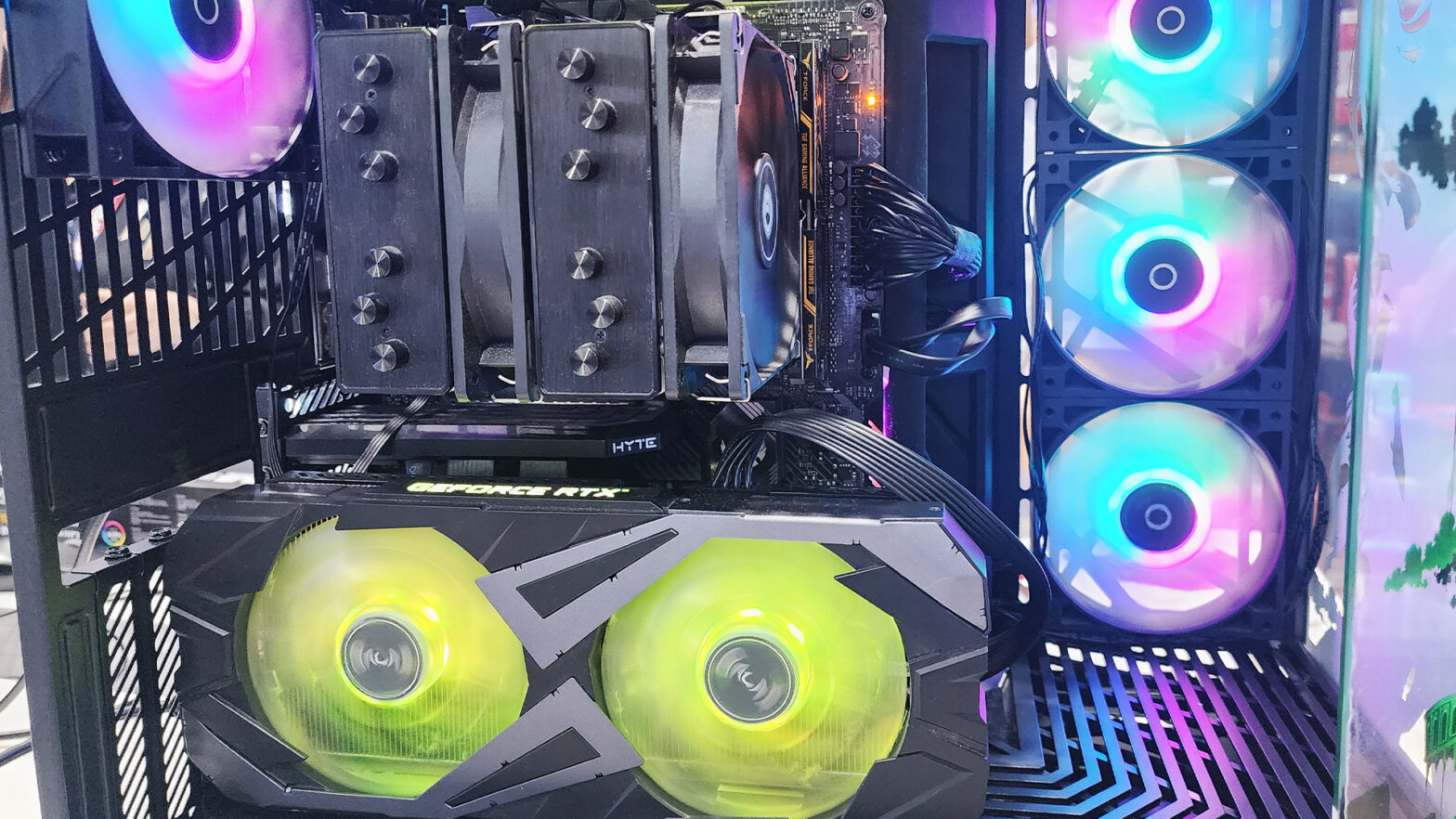

Building a gaming PC remains one of the most fulfilling and customizable ways to enjoy modern gaming. As technology advances rapidly, understanding the current landscape of components, compatibility, and future-proofing strategies is essential for enthusiasts and newcomers alike. In 2025, the process of assembling a gaming rig involves navigating a dynamic ecosystem of hardware innovations, software developments, and market trends. This comprehensive guide will walk you through everything you need to know to build a powerful, efficient, and future-ready gaming PC in 2025.
1. Why Build Your Own Gaming PC in 2025?
Table of Contents
While pre-built gaming PCs and gaming laptops offer convenience, building your own system has distinct advantages:
- Customization: Tailor your system to meet specific performance, aesthetic, and budget requirements.
- Cost-Effectiveness: Often, building your own rig can provide better performance for your money.
- Upgradeability: A custom build allows easier upgrades over time.
- Learning Experience: Understanding how your hardware works enhances troubleshooting and future upgrades.
In 2025, PC building continues to be popular due to the ongoing demand for high-performance gaming, immersive VR experiences, and the rise of AAA titles optimized for PC hardware.
2. Planning Your Build: Budget and Goals
Before selecting components, define your goals:
- Gaming Resolution and Frame Rates: Are you aiming for 1080p at 60 FPS, 1440p at 144 FPS, or 4K gaming at high settings?
- VR and Future Technologies: Do you plan to play virtual reality titles or utilize upcoming features like ray tracing and DLSS (Deep Learning Super Sampling)?
- Content Creation or Streaming: Will your system double as a content creator workstation?
Your budget will influence component choices. In 2025, gaming PCs can range from budget builds (~$800) to high-end setups exceeding $3000.
3. Central Components: CPU and GPU
a. CPUs in 2025
The CPU remains the backbone of your system. In 2025, the CPU landscape is characterized by:
- Advanced Multi-Core Architectures: 12th, 13th, and even 14th generation processors from Intel (e.g., Core i7-14700K, i9-14900K) and AMD Ryzen 7000/8000 series (e.g., Ryzen 9 7950X3D, Ryzen 9 7950X5D).
- Efficiency Gains: Improved performance per watt, lower heat output, and integrated AI accelerators are common.
- Socket Compatibility: New socket standards (LGA 1700/1800 for Intel, AM5 for AMD) ensure compatibility with latest motherboards.
Choosing a CPU:
- For high-end gaming and streaming, opt for top-tier processors like the Intel Core i9-14900K or AMD Ryzen 9 7950X3D.
- For mainstream gaming, a mid-range CPU such as the Intel Core i5-14600K or AMD Ryzen 7 7800X offers excellent value.
- Consider future-proofing by selecting CPUs with more cores and threads, even if gaming performance primarily relies on single-threaded performance.
b. GPUs in 2025
Graphics cards are the heart of gaming performance. In 2025:
- Next-Gen GPUs: Nvidia’s RTX 5090 and AMD’s Radeon RX 8900 XT/9000 series are expected to dominate the high-end market, offering substantial improvements in ray tracing, AI-based rendering, and power efficiency.
- DLSS and FSR: AI-accelerated upscaling technologies remain critical for achieving high frame rates at high resolutions.
- Availability and Pricing: Due to ongoing supply chain improvements, GPUs are more accessible than in previous years, but premium cards still command high prices.
Choosing a GPU:
- For 4K gaming at high frame rates, invest in a top-tier GPU like the RTX 5090 or Radeon RX 9000 series.
- For 1440p gaming, mid-range options like RTX 4060 Ti or Radeon RX 7800 XT provide excellent performance.
- For budget builds, older or lower-tier cards may suffice, but prioritize GPU VRAM and ray tracing capabilities.
4. Memory and Storage
a. RAM in 2025
- Capacity: 16-32GB of DDR5 RAM is standard for gaming in 2025.
- Speed: DDR5 modules with speeds exceeding 6000 MHz are common, offering better bandwidth and lower latency.
- Modules: Dual-channel kits (2x16GB) are recommended for optimal performance.
b. Storage Solutions
- NVMe SSDs: High-speed NVMe drives (PCIe 5.0 or 4.0) are standard, with capacities ranging from 1TB to 4TB.
- HDDs: Larger HDDs remain useful for bulk storage and backups.
- Future Trends: PCIe 5.0 SSDs offer blazing-fast load times, benefiting open-world games and quick data access.
5. Motherboards and Compatibility
a. Socket and Chipset Compatibility
- Ensure the motherboard supports your chosen CPU (e.g., LGA 1800 socket for Intel 13th gen, AM5 for AMD Ryzen 7000/8000).
- Look for features like PCIe 5.0, DDR5 support, USB-C, Thunderbolt, and integrated Wi-Fi 6E or 7.
b. Form Factor
- ATX: Standard size, offering multiple PCIe slots and expansion options.
- Micro-ATX or Mini-ITX: Smaller builds, suitable for compact gaming PCs but with fewer expansion slots.
c. Future-Proofing
- Select motherboards with support for upcoming technologies and sufficient M.2 slots, USB ports, and RAM slots.
6. Power Supply and Cooling
a. Power Supply Units (PSUs)
- Opt for high-quality, modular PSUs with at least 80 Plus Gold certification.
- Wattage: 650W-850W for most builds; high-end GPUs and CPUs may require up to 1000W.
- Efficiency and reliability are crucial for stability.
b. Cooling Solutions
- Air Cooling: High-performance air coolers or upgraded stock coolers are sufficient for most builds.
- Liquid Cooling: Custom or AIO (All-in-One) liquid cooling solutions provide better thermal performance, especially for overclocked CPUs.
- Case Ventilation: Good airflow with multiple fans and dust filters maintains component longevity.
7. PC Cases and Aesthetics
- Choose cases that support your GPU size, cooling requirements, and aesthetic preferences.
- RGB lighting, tempered glass panels, and modular designs allow for customization.
- Compact cases are popular for space-saving setups, but ensure they have good airflow.
8. Monitors and Peripherals
While not hardware components of the PC itself, your gaming experience depends heavily on peripherals:
- Monitors: 144Hz or higher refresh rates, G-Sync/FreeSync support, and resolutions matching your GPU capabilities (1080p, 1440p, 4K).
- Keyboards and Mice: Mechanical switches, customizable keys, and ergonomic designs.
- Headsets and Speakers: For immersive audio.
9. Software and Operating System
- Windows 11 remains the dominant OS for gaming, supporting DirectX 12 Ultimate, Auto HDR, and other features.
- Keep drivers and BIOS updated for optimal performance.
- Consider overclocking software and system monitoring tools.
10. Building Tips and Best Practices
- Compatibility Check: Use online PC building tools (e.g., PCPartPicker) to verify component compatibility and avoid bottlenecks.
- Static Precautions: Ground yourself before handling components.
- Cable Management: Plan your wiring for airflow and aesthetics.
- Testing: Boot with minimal components first, then proceed with OS installation and driver updates.
- Overclocking: If desired, overclock CPU and GPU cautiously, ensuring adequate cooling.
11. Future-Proofing and Upgradability
In 2025, technology continues to evolve rapidly. To ensure longevity:
- Prioritize components with support for upcoming standards like PCIe 5.0, DDR5, and USB 4.0.
- Choose a motherboard with multiple M.2 slots and expansion options.
- Invest in a quality power supply with headroom.
- Select a case with sufficient space and cooling for future upgrades.
12. Market Trends and Considerations in 2025
- AI and Machine Learning: Integration into gaming hardware and features.
- Virtual Reality: Hardware advancements support higher fidelity VR experiences.
- Cloud Gaming: While streaming reduces the need for ultra-powerful PCs for some, local hardware remains essential for high-fidelity experiences.
- Sustainability: Energy-efficient components and eco-conscious manufacturing are gaining importance.

Conclusion
Building a gaming PC in 2025 is an exciting endeavor that combines cutting-edge hardware with strategic planning. Staying informed about the latest processor architectures, GPU advancements, storage technologies, and compatibility standards ensures you assemble a system capable of handling current and future games with ease.
Remember to balance your budget with your performance goals, prioritize quality components, and plan for future upgrades. Whether you’re aiming for a 4K powerhouse, a high-refresh-rate 1440p machine, or a compact setup, the key is understanding the options available and making informed decisions.
By following this guide, you’ll be well-equipped to build a gaming PC that not only meets your gaming needs but also provides a satisfying and educational experience. Happy building!